There’s no doubt that Scrapy is one of the most widely used libraries for web scraping. What made it so successful is its unique architecture and structured approach to building web spiders.
GoScrapy tries to replicate the same philosophy in Go, taking advantage of the language’s benefits, such as performance, concurrency, and simple deployment.
In this post, you’ll learn what GoScrapy is, what it offers, how it works, and how to use it through a complete end-to-end example. Let me present what this Go-based scraping framework brings to the table!
The library adopts a batteries-included approach, providing a complete scraping engine with spiders, middlewares, pipelines, automatic retries, cookie management, CSS/XPath selectors, and concurrent request processing.
At the time of writing, the project has over 350 GitHub stars. It also recently underwent a major architectural revamp focused on improving performance and maintainability, as announced by the author on Reddit.
Give your AI a web data layer – Decodo’s Web Scraping API turns any site into clean, structured data your models can actually use.
At first, you might wonder why you would use GoScrapy instead of Scrapy or Playwright, Puppeteer, Axios + Cheerio, or Requests + Beautiful Soup. After all, those are all excellent options, if not the industry standard.
However, there are many situations where Go is a better fit. Go offers excellent performance, lightweight concurrency through goroutines, fast startup times, and simple deployment as a single compiled binary. Similar advantages can also be found when building web scrapers in Rust.
Plus, if you’re already developing in Go, introducing a Python or JavaScript scraping stack means maintaining another language, runtime, and dependency ecosystem.
Main Features
Some of GoScrapy’s most notable features include:
Scrapy-inspired architecture: Brings Python Scrapy’s proven design to Go, organizing spiders, callbacks, middlewares, and pipelines into a structured, maintainable scraping workflow.
High-performance concurrency: Leverages Go’s goroutines and worker pools to process many requests in parallel, enabling fast, scalable web scraping with minimal overhead.
CSS and XPath selectors: Supports chainable CSS and XPath selectors, making it easy to locate elements and extract both text and attribute values.
Automatic project scaffolding: Comes with goscrapy startproject to generate a new project structure with a single CLI command.
Built-in middlewares: Includes retry logic, cookie management, duplicate request filtering, and other middleware components to handle common scraping challenges.
Flexible export pipelines: Export scraped data to CSV, JSON, MongoDB, Google Sheets, Firebase, or custom destinations by configuring reusable pipelines.
Signal-driven architecture: Exposes strongly typed lifecycle events, allowing you to monitor engine activity and hook custom logic.
Auto-discovery of spider methods: Autonomously detects lifecycle methods such as Open(), Close(), and Idle(), reducing boilerplate and simplifying spider implementation.
Extensible core: Lets you replace or customize core components to fit advanced scraping requirements.
GoScrapy provides a complete scraping engine with spiders, middlewares, pipelines, retries, cookie management, and concurrent request processing, following the architecture that made Scrapy popular in Python.
GoScrapy’s architecture
Under the hood, GoScrapy uses a modular, event-driven design where components communicate through a central signal bus. This decouples the engine from individual components, enabling you to monitor activity or add custom logic at different stages of the scraping lifecycle.
Signals are triggered for important events, such as engine startup and shutdown, spider lifecycle changes, request scheduling, response handling, and item processing. Discover all available signals.
Declarative Mapping via Gosm
One of GoScrapy’s most interesting aspects is Gosm, a declarative mapping engine that eliminates much of the repetitive extraction code usually required in web scraping.
Gosm lets you describe both your data model and extraction logic directly in Go structs through tags, removing the need to manually handle selectors and value assignments. In particular, it supports CSS selectors, XPath, JSON paths, and attribute extraction.
Once the model is defined, GoScrapy exposes the gosm.Map() utility to automatically populate the struct of the custom type with the extracted data.
For example, you could define a model for a book like this:
type Book struct {
    Title  string `gos_css:".title"`
    Author string `gos_css:".author"`
    Cover  string `gos_css:"img@src"`
    URL    string `gos_css:".book-link@href"`
}
Note how, thanks to Gosm, each struct field is mapped to a specific element on the target page. For example, Title extracts the text inside the .title element, while Cover and URL retrieve values from the src and href attributes using the @attribute syntax.
Inside your spider parsing logic, you can then map the response into the struct with a couple of lines:
func (s *Spider) parse(ctx context.Context, resp core.IResponseReader) {
    // Gosm automatically fills the struct using the selectors defined in the tags
    var book Book
    gosm.Map(resp, &book)

    s.Yield(&book)
}
By separating the data model from the scraping workflow, Gosm keeps spiders cleaner.
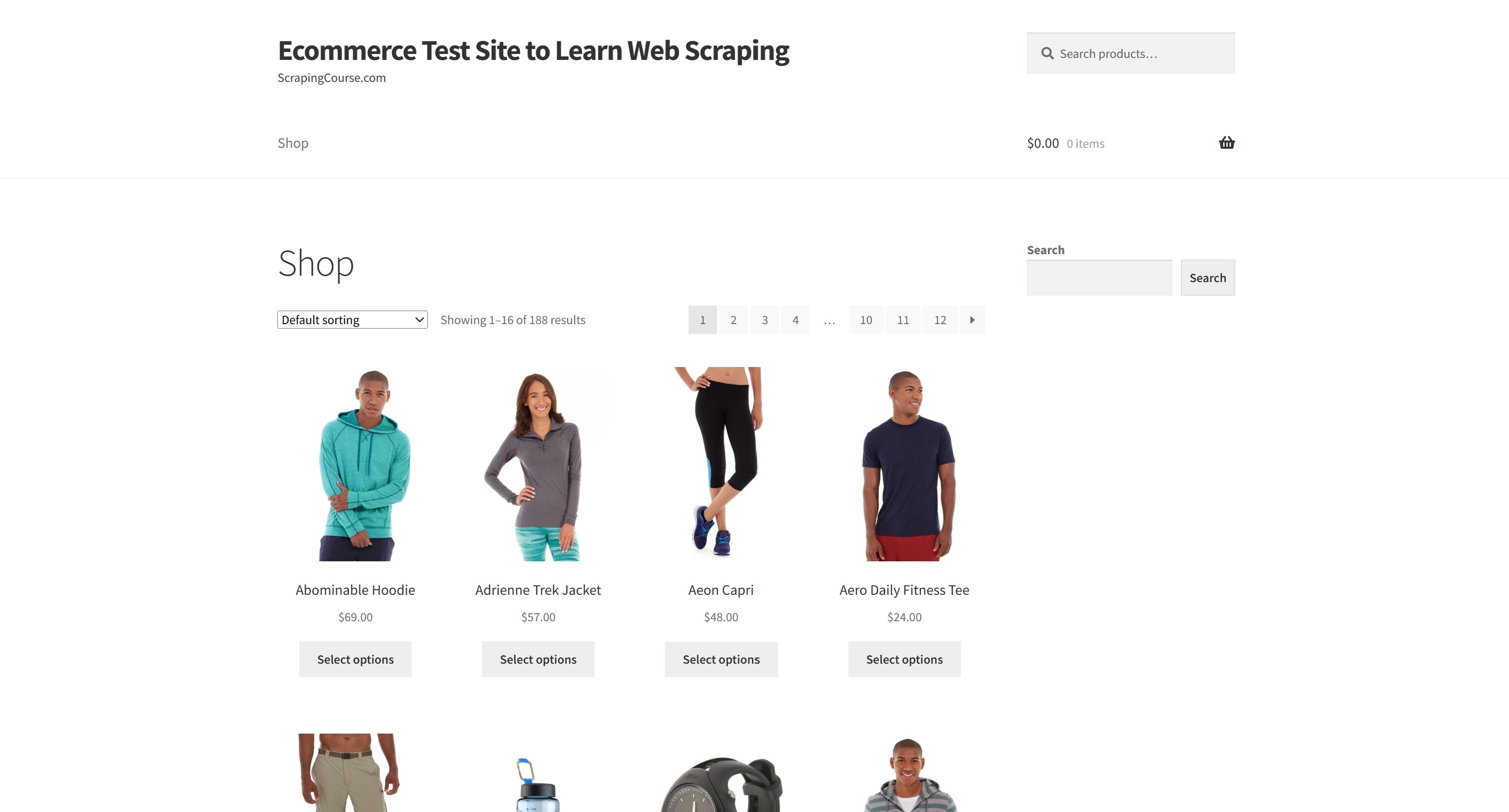
The goal is to build a GoScrapy script that extracts all product data from the target site’s product listings, navigating through all pagination pages.
go install github.com/tech-engine/goscrapy/cmd/...@latest
Verify that the installation completed successfully:
goscrapy -v
You should see output similar to:
goscrapy version 0.15.4
Next, navigate to your project’s root directory and create a new GoScrapy project:
goscrapy startproject ecommerce_scraper
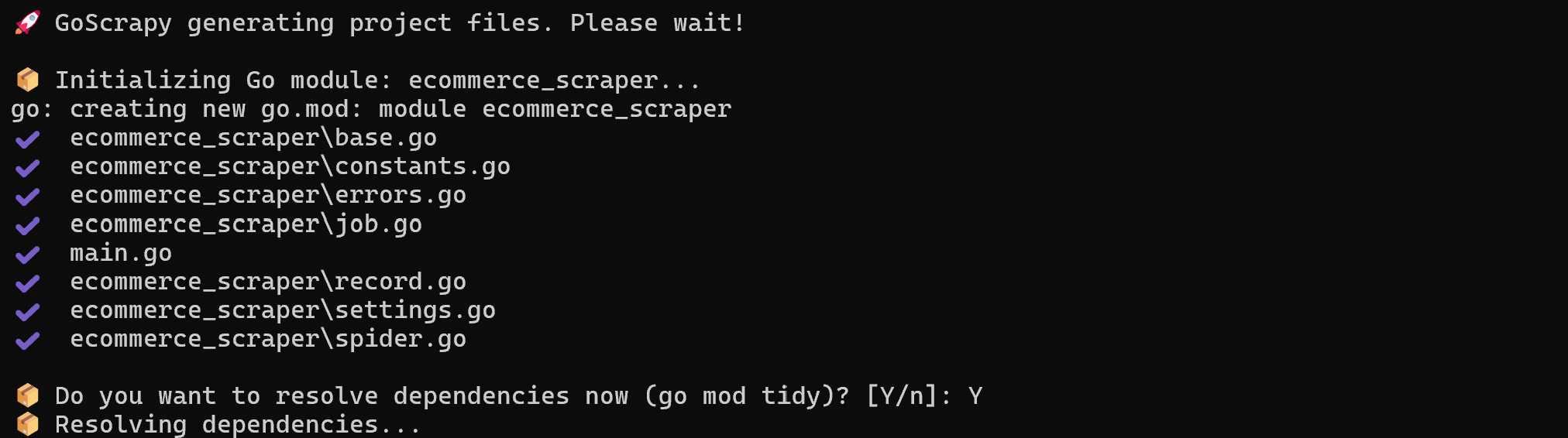
This command initializes a new Go module and generates all the required project files. It’ll also prompt you to install the project’s dependencies (go mod tidy). Type “Y” and press Enter to continue:
The output of the GoScrapy project generation command
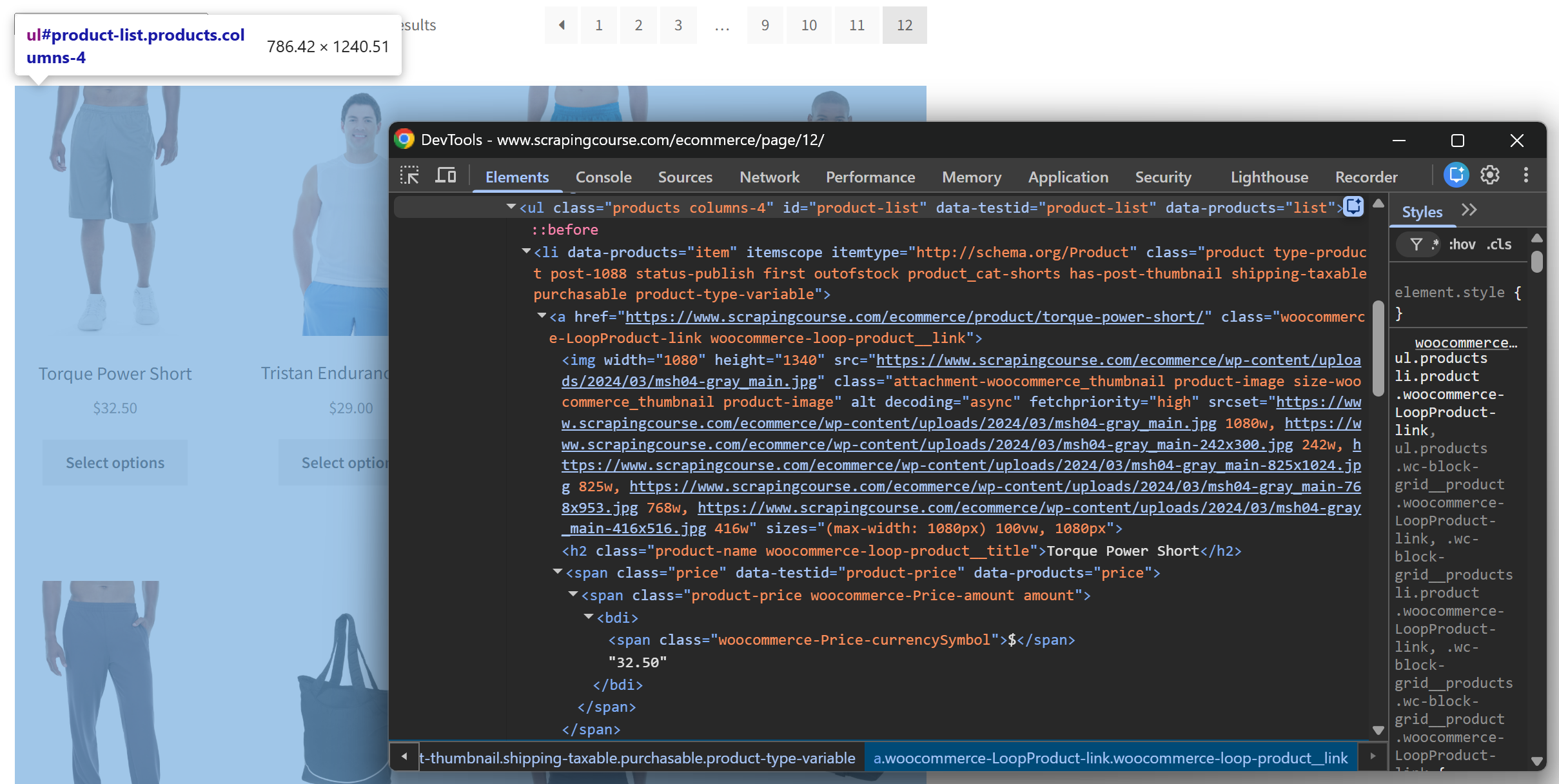
Open the target scraping site in your browser and start exploring its structure. You’ll notice that products are stored inside li[data-products=’item’] elements:
The DOM structure of the product listing section on the target site
In detail, each product contains the following information:
Name: Stored in the .product-name element.
URL: Available in the href attribute of the .woocommerce-loop-product__link element.
Image: Available in the src attribute of the img element.
Price: Stored in the .price element.
Availability: Stored in the class attribute of the product element itself. The availability status can be determined by checking for the presence of the “instock” or “outofstock” class.
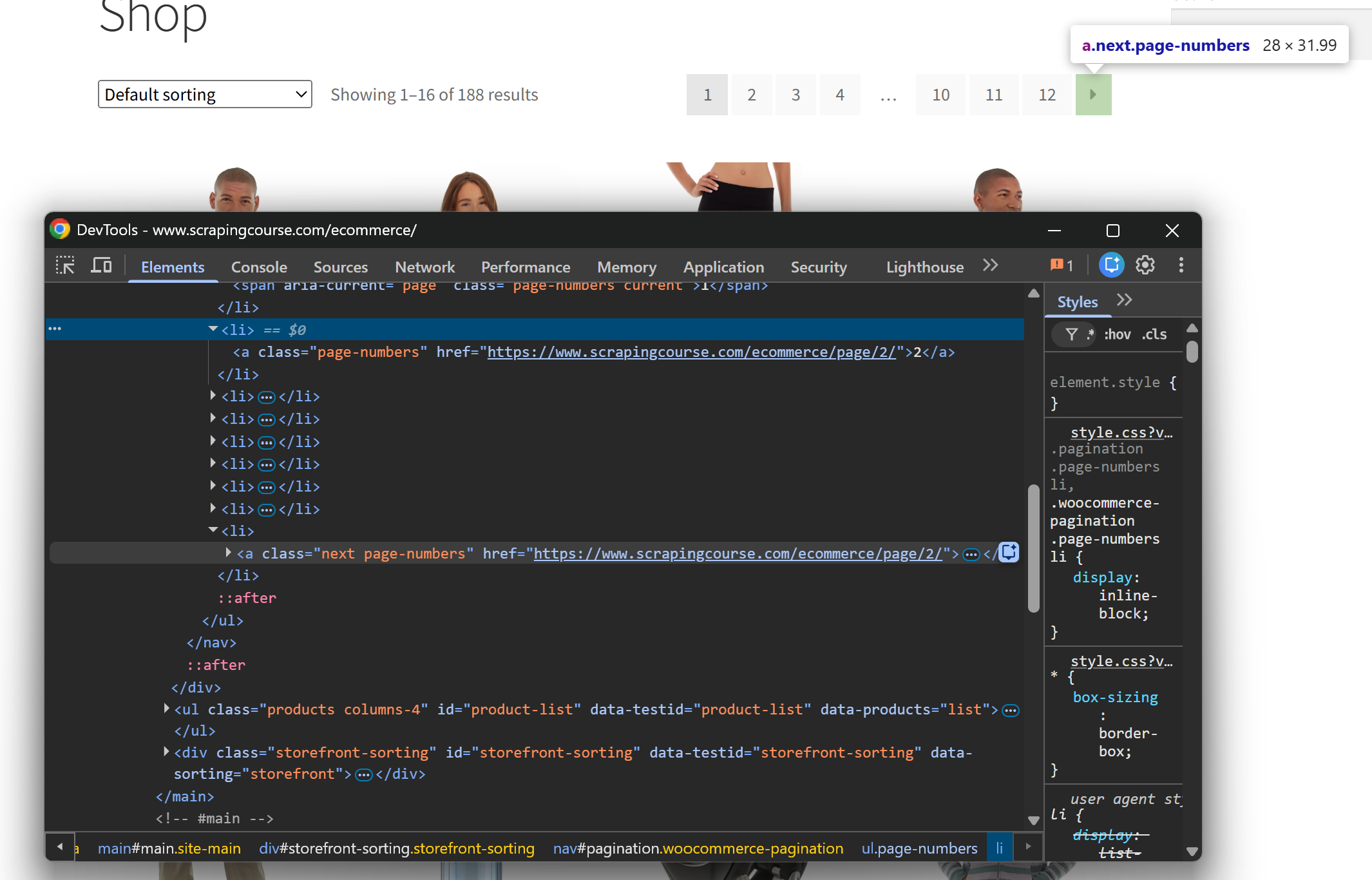
Additionally, each page (except the last one) contains a link to the next page inside the nav#pagination a.next element. By following this link, you can sequentially scrape all product listing pages.
Note the nav#pagination a.next element to move to the next pagination page
Now that you understand the target HTML structure, you’re ready to define the data models that GoScrapy will use to extract and store the scraped data!
The Record struct defines the final output of the scraper. Each instance represents a single product and contains the fields that will be exported by the pipeline.
On the other hand, the Listing struct describes the data available on each product listing page. Notice that product-related fields are stored as arrays ([]string). The reason is that GoScrapy’s scraping approach focuses on extracting each field from all matching elements rather than mapping each product element individually. This pattern isn’t unique to GoScrapy, and other libraries like rvest in R follow a similar mechanism.
As a result, Gosm collects all product names, URLs, images, prices, and classes separately, allowing you to combine them later. Fantastic!
Step #4: Define the Scraping Logic
The data models with Gosm mappings are ready, so you can implement the spider logic to extract products, process the data, and follow pagination. To do so, make sure that your spider.go file contains:
This GoScrapy spider implements this parsing flow:
Extract all product fields from the page in a single mapping operation:The gosm.Map() function applies the CSS selectors defined in Listing and populates the corresponding fields with all matching values.
Combine extracted fields into individual product records: Since Gosm extracts product fields as separate arrays, the for loop iterates over them by index. Values with the same index belong to the same product, helping you create a complete Record object.
Apply additional processing before yielding records: Some fields require custom logic before being exported. In this example, availability cannot be extracted directly because it’s stored as a class value on the product HTML element. The scraper checks whether the class contains “instock” or “outofstock” and converts it into a dedicated Availability field.
Take care of the pagination logic: The scraper checks whether a next page exists. If NextPage contains a URL, it creates a new request and recursively calls parseListing() to continue scraping until all product pages have been processed.
The above spider extracts products across multiple pages and sends each completed Record to the pipeline. Wonderful!
By default, a GoScrapy project is configured to export scraped data to an itstimeitsnowornever.csv file. This behavior is controlled through the configuration defined in settings.go.
To export the scraped product data to a products.csv file, make sure that settings.go contains:
var export2CSV = csv.New[*Record](csv.Options{
    Filename: "products.csv",
})
Step #6: Run the Scraper
Launch the GoScrapy project with:
go run .
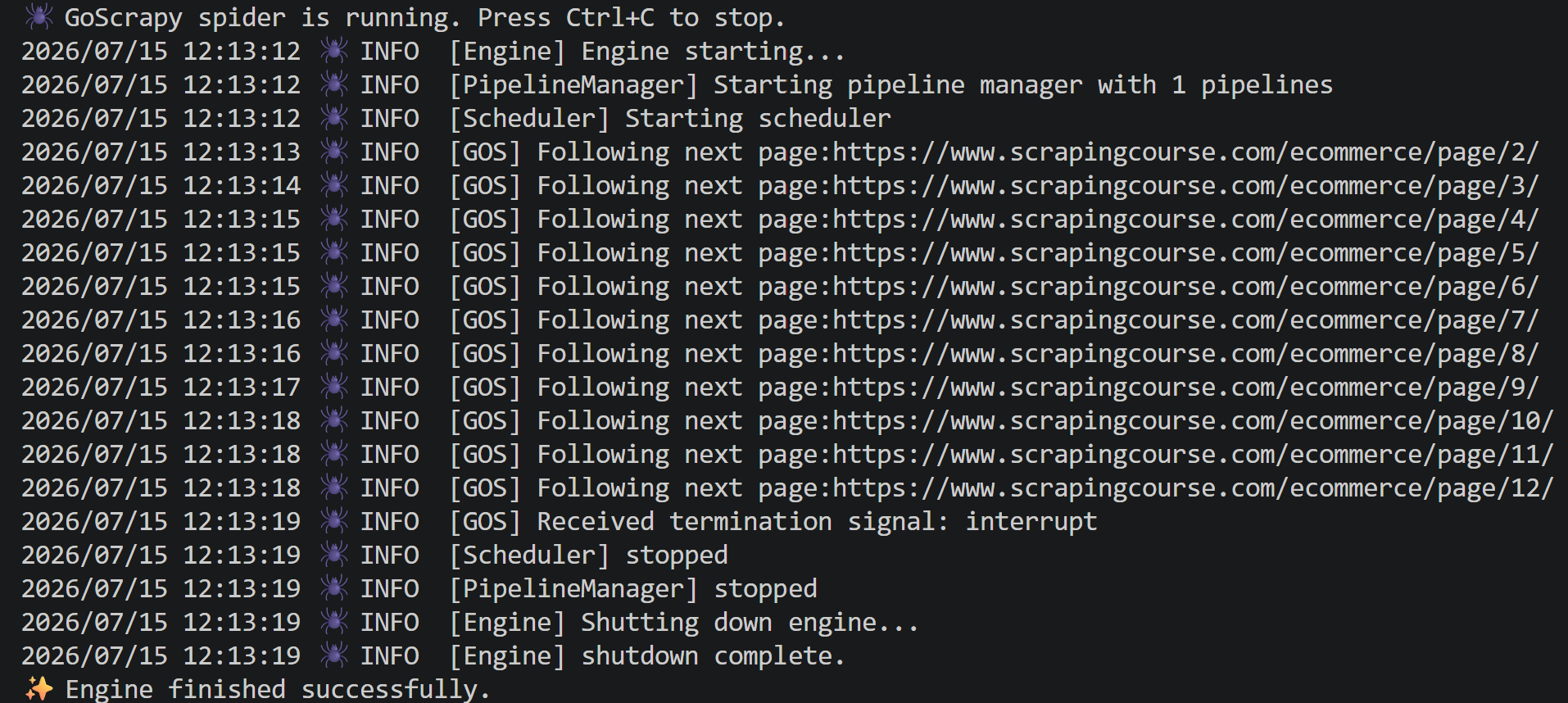
You should see output similar to the following:
The output produced by the “go run .” command
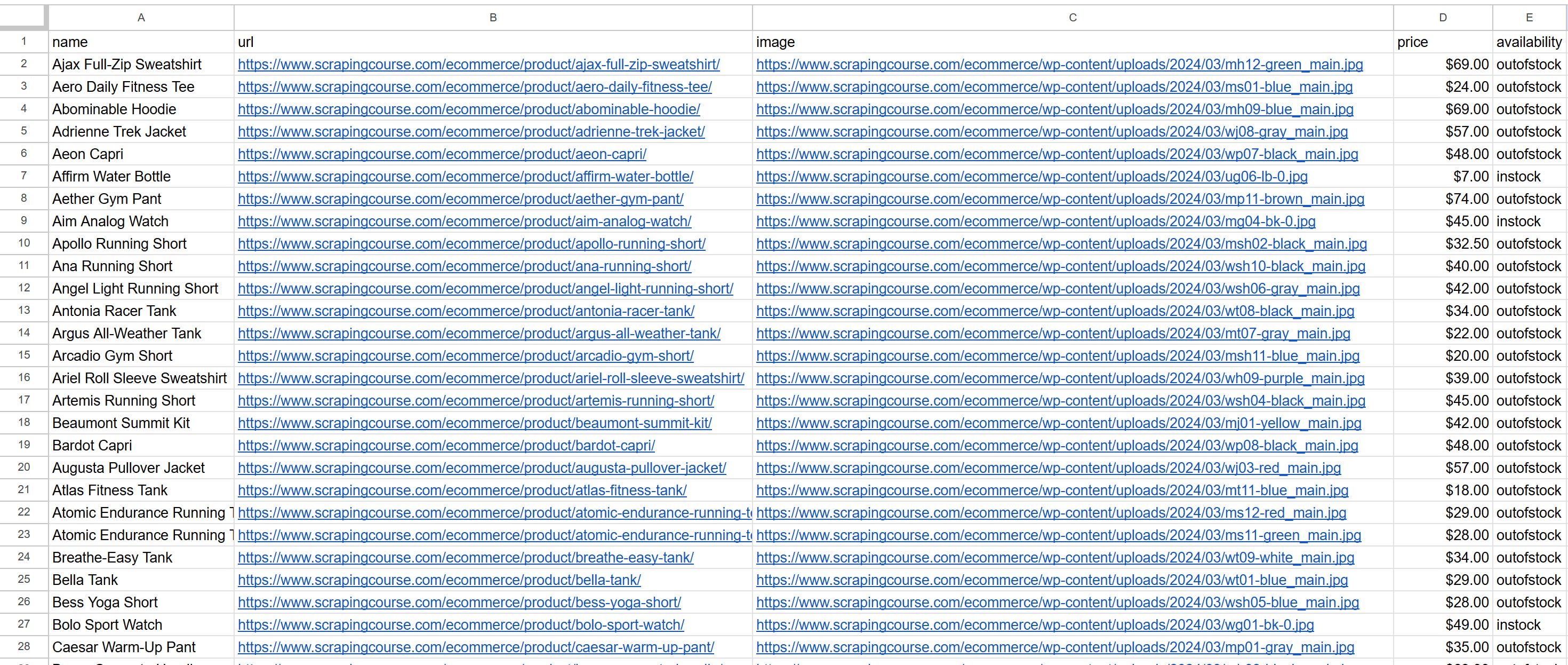
Once the scraper finishes, a products.csv file will be created in the project folder. Open the file, and you’ll see the extracted product data:
Note the scraped products in products.csv
The produced CSV file contains the information extracted from all 190 products spread across multiple listing pages. Mission complete!
The Web Scraping Club is a reader-supported publication. To receive new posts and support my work, consider becoming a free or paid subscriber.
Final Comment
Considering my experience with web scraping in Go, I can say that GoScrapy is definitely one of the most promising libraries in the ecosystem. The fact that it recreates Scrapy’s architecture significantly lowers the learning curve, especially if you’re already familiar with Scrapy’s project structure, workflows, and core concepts.
I found the library fast, and the Gosm mechanism was impressively interesting. At the same time, it’s important to note that the community around the project is relatively small, making it harder to find examples, tutorials, and external resources. Also, most LLMs have limited (or no) knowledge of the framework, and there’s no real official documentation.
That said, the examples available in the GoScrapy repository are enough to build a basic understanding of how the framework works. If you’re already comfortable with Go and have experience building spiders with Scrapy, you should be able to create a functional scraper within a few hours.
Overall, GoScrapy is a project worth keeping an eye on, particularly for Go enthusiasts!
I hope you found this guide useful. If you have any questions or comments, feel free to leave them below. Thanks for reading, and see you in the next one!
Thanks for reading The Web Scraping Club! This post is public so feel free to share it.
GoScrapy will use the configured proxies for outgoing requests. You can provide multiple proxies to distribute requests and improve reliability when scraping at scale.
Is GoScrapy’s API stable?
As of this writing (July 15, 2026), not yet. GoScrapy is currently in active v0.x development, and its Core API is still evolving toward a stable v1.0 release. While it’s already fully usable today, you should expect occasional breaking changes as the project continues to mature.
Why is GoScrapy licensed under the Business Source License (BSL)?
The BSL is designed to support the long-term sustainability of GoScrapy. You can use it freely in production, build commercial applications with it, and scrape data for your business. The main restriction is that you can’t repackage or offer GoScrapy itself as a competing managed scraping service or commercial fork.