

This is a guest post written by Joel Griffith, Founder of Browserless.
Most authenticated scrapers I’ve seen don’t fail at login. They fail when one piece of state stops matching everything else, even while the login still seems valid.
That causes problems if you’re scraping account-gated dashboards, portals, or other authenticated applications over long periods. Saving a cookie can work well enough for a short-lived job. But if you run the same job for weeks, the login “state” becomes something you have to manage as well.
In my experience, you really have two options: save authenticated state and replay it into new browsers, or keep the same browser session alive. Both still end in re-authentication eventually.
So, what do you need to preserve, and what can safely be rebuilt?
What does being logged in actually look like?
It’s tempting to think of an authenticated session as one cookie, even though sometimes it is just that.
But more often, the browser ends up carrying authentication-related “signals” in several other places as well. You might have an HttpOnly session cookie, a token in localStorage, another value in IndexedDB, and a temporary token associated with an OAuth flow someplace else.
The issue is that all these technologies don’t share the same eviction timeframe, and sometimes those timeframes don’t align.
A cookie could still exist locally after the server has invalidated the session behind it.
An access token may expire while a refresh token remains usable.
A refresh token may be rotated, meaning the old value stops working as soon as the new one is issued.
There’s another interim state that has changed: maybe an IP address or even geolocation changes.
Some applications also make risk decisions using signals outside the state you saved, such as network location or characteristics of the browser making the request. This is the part that trips people up most: a person logs in by hand, and then a script picks up where they left off. Anti-bot detection loops run passively all the time, and if something looks suspicious, they’re quick to revoke access.
I’ve stopped thinking of it as logged in or logged out. It’s closer to three states: valid, stale, and recovering. The middle one is where I’ve lost the most time.
Why a saved storageState snapshot always breaks eventually
For most scraping jobs, replaying auth state into a fresh browser beats logging in on every run. Here’s what that looks like with Playwright:
const context = await browser.newContext({
  storageState: “auth.json”,
});

const page = await context.newPage();
await page.goto(PROTECTED_URL);
You authenticate once, persist the relevant state, then use it to bootstrap later browser contexts. Re-applying prior auth is much faster than repeating the login flow, for obvious reasons, and puts less load on the target. This means you don’t have to automate passwords or manage multi-factor authentication unnecessarily.
But there are a few gotchas, the biggest being: the state file only contains IndexedDB if you asked for it when you saved it.
await context.storageState({ path: “auth.json”, indexedDB: true });The option was introduced in Playwright v1.51. On older versions, apps that keep tokens in IndexedDB (like Firebase Authentication) will silently lose them.
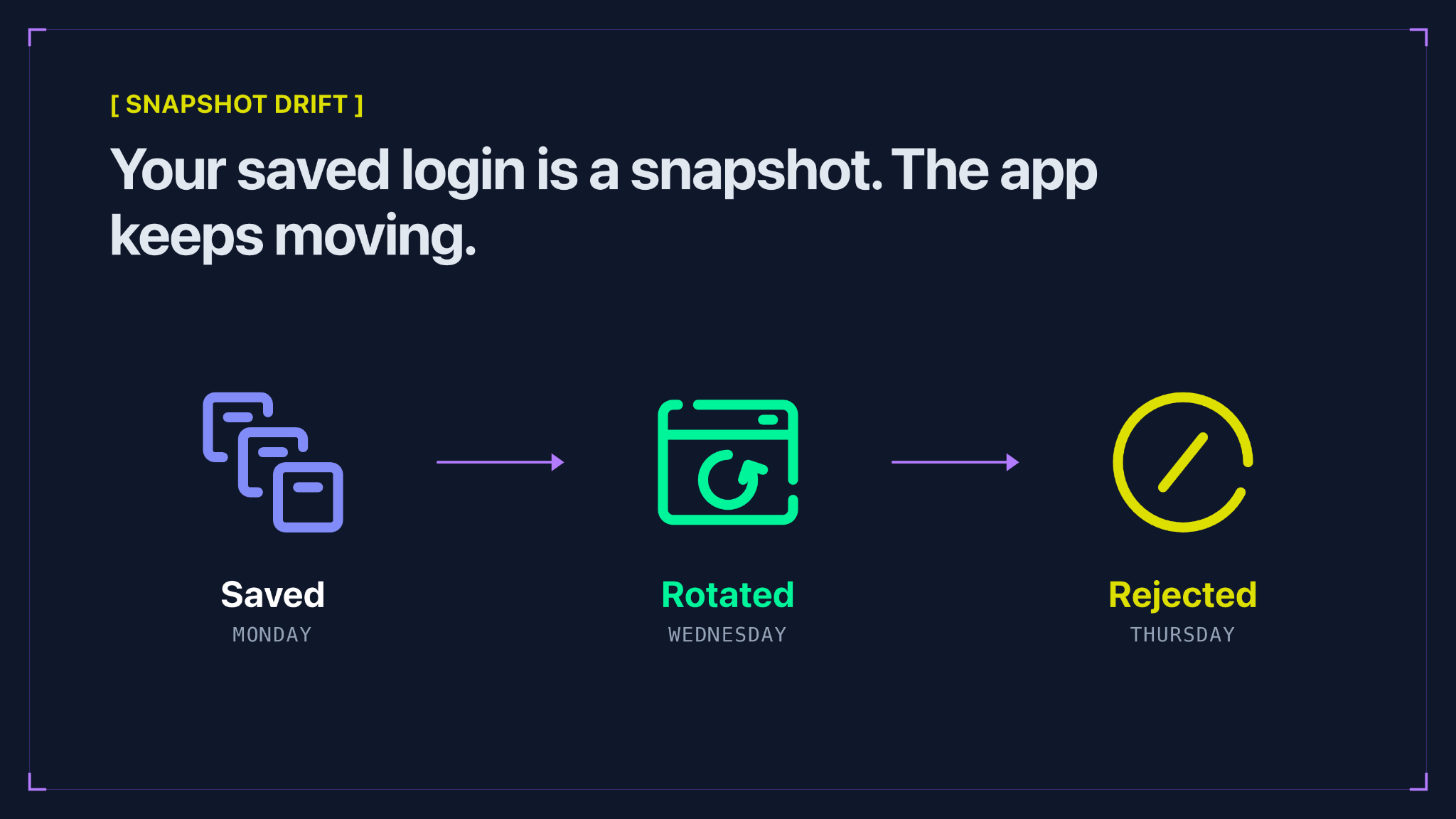
I think of auth.json as a photo of your login on the day you took it, not the login itself.
Imagine the scraper starts on Monday with a working token. On Wednesday, the application rotates that token during normal use. Your live browser now contains the new token, but the state file you created on Monday doesn’t.
Restart the worker on Thursday, and you restore Monday’s version of reality. You can start to see how this problem plays out, and why its nondeterministic state can cause a lot of confusion. To make matters worse, this “invalidation” can happen out of nowhere. If you’re paying per run, that isn’t just downtime. It’s money spent on scrapes that bring back a login page.
Cookies run into the same kind of trouble. Their local expiry tells you when the browser considers a cookie expired. It doesn’t tell you whether the server still accepts the session behind that cookie. In a perfect world, they’d always be in sync, but the web is anything but perfect!
Temporary state is another failure point. sessionStorage, for example, is deliberately scoped to a browser tab. Turn every piece of temporary browser state into something permanently replayable, and you can make authentication less reliable, particularly around redirects and CSRF protection.
My rule: assume any saved auth state is already going stale. Authenticated scraping is fundamentally a high-fault workflow, so take great care to ensure the system behaves as expected in production.
Why not just keep the browser running?
If replaying a snapshot loses state, the obvious alternative is to keep the original browser alive. For some workflows, that’s exactly what you need, but it can really depend on how long you need this transient state for.
A running browser preserves far more than a cookie file. Open tabs and JavaScript state survive, and storage updates happen naturally. If the application refreshes a token in the background, the browser keeps the new value rather than reverting to an older snapshot on the next run.
While trading off persistence for long-running processes, you’ve traded one problem for another, and you still haven’t solved it! Instead of asking whether your authentication state can survive for three weeks, you’re asking whether a Chrome process can. I wouldn’t bet on the Chrome process.
Long-running browser processes fail in ordinary ways:
Pages leak memory.
Connections disappear.
Hosts restart.
Deployments happen.
Chrome crashes.
Your automation code crashes even when Chrome doesn’t.
... and all these problems compound with one another!
You’re also limited when you need to scale. One persistent browser is one mutable environment. If ten workers need the same account, letting all ten operate against one live browser introduces coordination problems. With a saved state snapshot, each worker gets its own isolated copy instead.
A long-lived browser is useful when you need continuity inside the browser, but it isn’t a general replacement for saved state.
How can you detect an expired session?
The worst recovery strategy is waiting for the scraper to throw an exception, because authentication failures often don’t throw one.
A protected URL might respond with a 302 to /login. Another site returns 200, but the HTML is now a sign-in screen. An API request might start returning 401. Some applications send you to an account verification flow instead.
I normally want an authenticated scraper to validate application state explicitly after restoring a session. Here’s a quick example:
await page.goto(PROTECTED_URL, {
  waitUntil: “domcontentloaded”,
});

const authenticated =
  !page.url().includes(”/login”) &&
  (await page.locator(”[data-account-id]”).count()) > 0;

if (!authenticated) {
  await reauthenticate(page);
  await saveFreshState(page);
}
Here we’re using other signals on the page to determine if it’s properly authenticated or not. We don’t ask whether the cookie exists; instead, we ask whether the application still considers the browser authenticated. You could script up a cookie check, but from what we’ve seen running this at Browserless, cookie checks are brittle and throw a lot of false positives.
In production, I’d also distinguish auth failure from ordinary scraping failure. A changed selector shouldn’t trigger a login. Neither should a 500, a network timeout, or a missing asset. Otherwise, a minor site change becomes hundreds of unnecessary login attempts, which is a much worse failure mode. That’s a mistake you only need to make once. You have to pick one or two of the strongest signals you can see on the page and use those for your authentication condition check.
When is re-authentication the right answer?
Re-authentication tends to get treated as something a good persistence system should eliminate. I’d argue the opposite: it’s a recovery path you should design deliberately. I’ve never run a system that works 100% of the time, even ones we own end to end. I don’t expect it from a script running against someone else’s site.
If login is cheap and stable, periodically rebuilding state can be simpler than maintaining a browser indefinitely. Preserving authenticated state becomes much more valuable when login involves MFA, email links, or aggressive rate limits. Either way, you want re-authentication to happen only after you’ve positively identified expiry.
Your choice also hinges on concurrency. If many workers need the same authenticated starting point, a reusable snapshot lets each one launch its own browser from it. Keeping the browser itself alive makes more sense when a workflow relies on in-progress UI state.
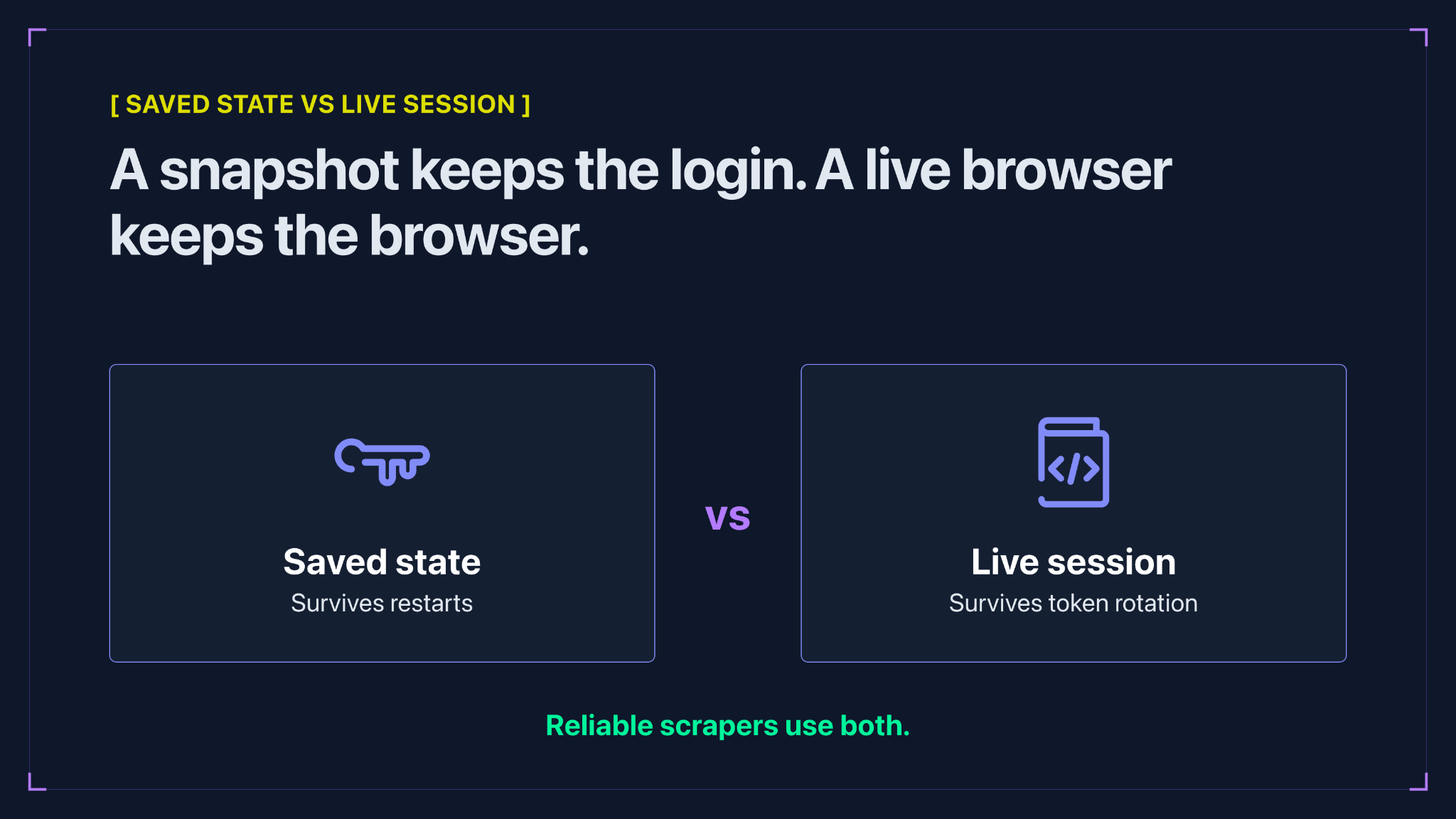
In practice, reliable systems often use both. Start sessions from a known authenticated snapshot, let each browser mutate normally while it is alive, and validate authentication before doing expensive work. When the saved snapshot is no longer accepted, run the login flow again and replace it.
Saved state and live sessions solve different needs
We ran into this distinction while building authenticated session support at Browserless.
Our Authenticated Profiles feature stores cookies, localStorage, and IndexedDB, then loads a copy of that state into a fresh browser session. We deliberately skip sessionStorage, since replaying temporary tab state can break short-lived flows such as OAuth redirects and CSRF handling.
Changes made inside one of those browsers don’t rewrite the original saved profile. Think of it as a fresh copy of the authentication state, or a reference by value and not address. If the underlying authentication state expires, the profile needs to be refreshed.
That is deliberately separate from session persistence, which comes in two flavors. A standard session flags the running browser as reconnectable mid-script, so you can drop back into the same process, same page, and same in-memory state within a short window.
Persisting state goes further: the Session API keeps cookies, localStorage, and cache in an isolated userDataDir that survives full browser restarts for days, and processKeepAlive decides whether the process stays up in between. The two combine: pass a profile name when you create the session, and the browser starts from that saved auth state and then persists normally.
One caveat for Playwright users: both of the keep-the-process-alive paths rely on browser.disconnect(), which Playwright doesn’t expose, so with Playwright you get the on-disk state but not the live process.
This distinction forces you to decide what you actually need. Do you need the same authentication state, or do you need the same browser?
Once your scraper runs for weeks rather than minutes, those stop being interchangeable.
Plan for the logout
If I could give one piece of advice to anyone building an authenticated scraper, it’s to stop trying to keep the session alive forever. We spent a lot of time on this problem while building Browserless, and the biggest shift for us was treating a logout as a state to plan for and not a bug to get rid of.
Every session goes stale eventually. What separates a scraper that runs for weeks from one that falls over on day three is whether it notices. So I save the full picture: cookies, localStorage, and IndexedDB, but not sessionStorage. I ask the app whether I’m still logged in instead of trusting a cookie. And I only log in again once I’ve confirmed the session is gone, then replace the snapshot so the next worker isn’t starting from last Monday.
As for snapshots versus live browsers, I’d stop thinking of it as a choice. Most setups I’d put into production use both.
You won’t build a session that never expires, and I wouldn’t try. Build one that knows when it’s expired and fixes itself before anyone gets paged. And if you’ve found a pattern that holds up longer than this, I’d like to hear about it!
